CT
Codex Terminal Pro
An open Home Assistant add-on for hands-on configuration work.
Download- System
- Home Assistant
- Start
- /config
- Session
- tmux
- Tools
- codex, ha, gh
About
A Home Assistant add-on for running Codex where the configuration lives.
Codex Terminal Pro is an unofficial Home Assistant add-on. It opens
a browser terminal through Home Assistant ingress, starts in
/config, and keeps the Codex session alive in
tmux when the browser disconnects. It exists for
careful inspection and configuration work on systems people actually
depend on, not as a managed cloud service.
-
Includes
Codex CLI, Home Assistant CLI, GitHub CLI, image paste/upload support, and persistent add-on state under
/data. -
Session
Uses a named
tmuxsession so reconnecting the panel does not kill the active Codex run. - Tools Ships read-only Modbus helpers for inspection workflows; write-register helpers are intentionally not bundled.
- Boundary It is not an official OpenAI add-on, and the terminal has administrator-level Home Assistant access.
Screen
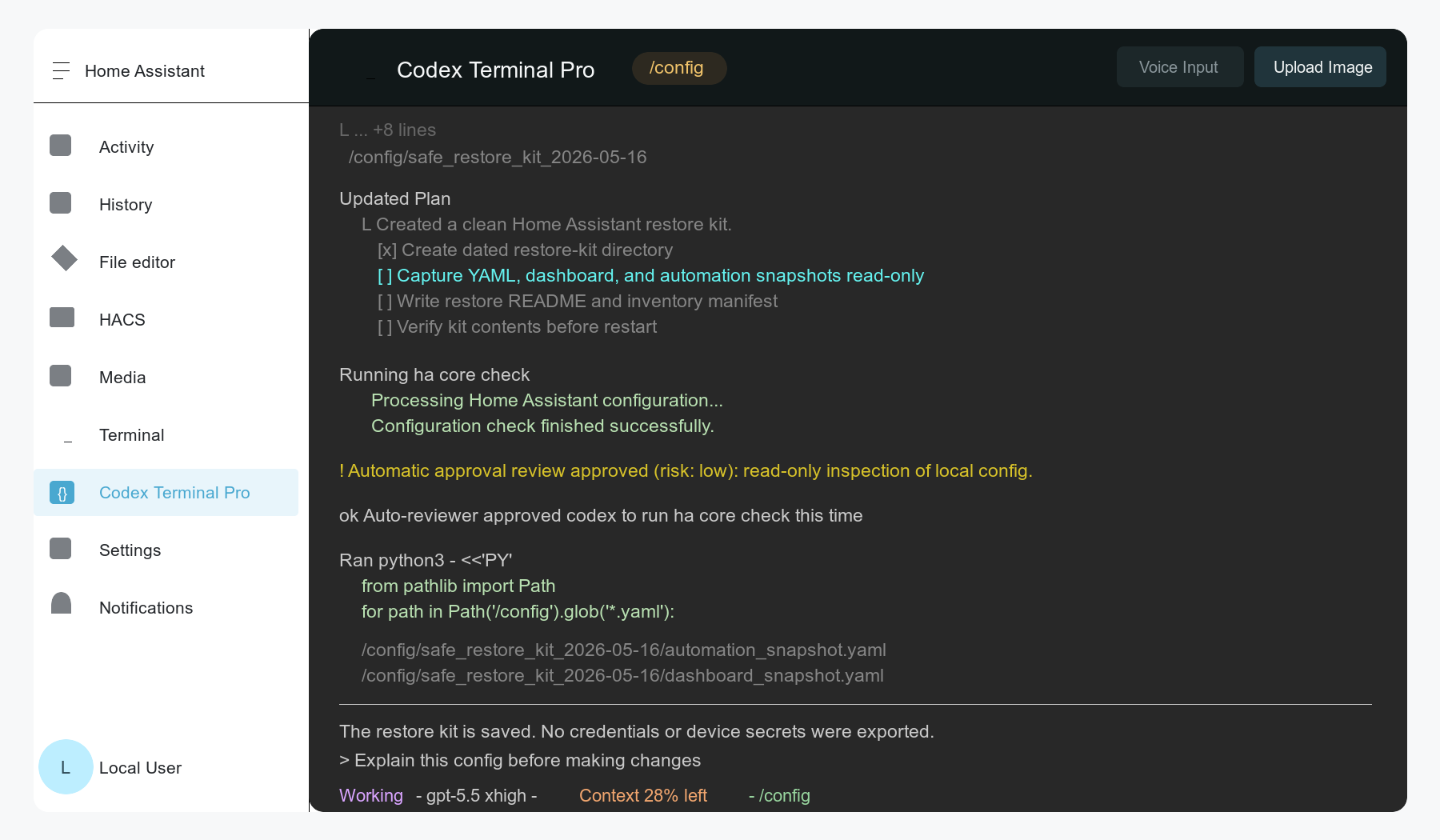
Codex inside Home Assistant.
A sanitized preview of the add-on shell: Home Assistant navigation,
the Codex Terminal Pro header, and a live terminal session working in
/config.
How
Admin terminal. Treat it that way.
- Add the GitHub repository to Home Assistant, install the add-on, start it, and open the sidebar panel.
- Run
codex-auth-helperfor device-code login when the add-on needs Codex authentication. - Ask Codex to inspect first, then show a diff before changing Home Assistant configuration.
- Run
ha core checkbefore reloads or restarts.
Support
Support starts with install state and redacted logs.
Codex Terminal Pro can inspect and change a live Home Assistant system, so useful support reports should be careful, specific, and redacted.
- Include Add-on version, Home Assistant Core and Supervisor versions, architecture, install source, and the relevant redacted add-on log lines.
-
Check
Whether the add-on was installed from the GitHub repository, whether the store was reloaded, and whether the terminal starts in
/config. -
Private
Do not paste tokens,
auth.json, secrets, full configuration files, or unredacted terminal transcripts into public issues.